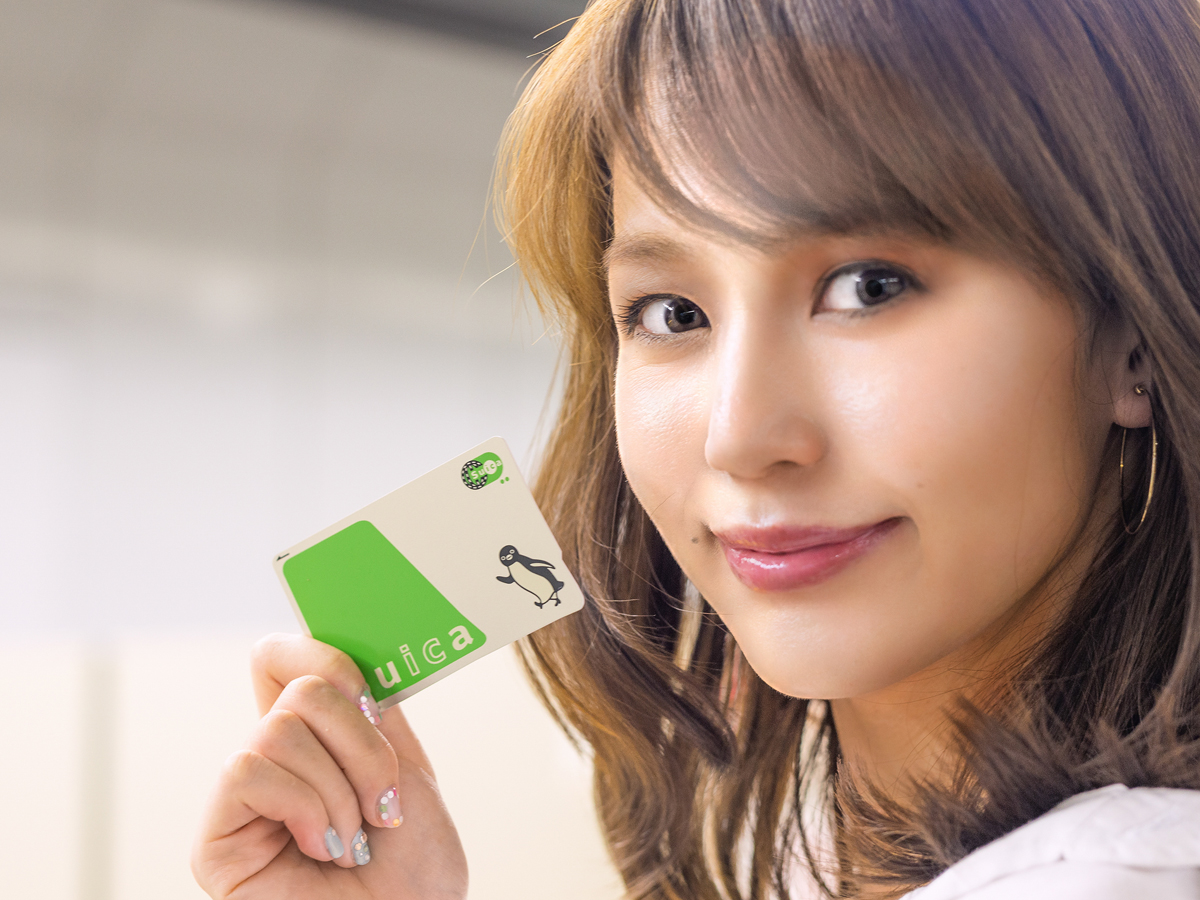

Quick answer: Welcome Suica is JR East's IC card for visitors — tap through train gates, buses and shops without fumbling for coins. In 2026 you have three routes: the physical Welcome Suica (a red card, valid 28 days), the free Welcome Suica Mobile app (iPhone only, valid 180 days), or simply adding Suica to Apple Pay / Google Wallet for an open-ended option. For a short trip the physical card is fastest; for a longer stay with an iPhone, the mobile options remove the 28-day clock. Always confirm the current rules on JR East's Welcome Suica page.
Which Suica should a nomad use?
Physical Welcome Suica: fastest to grab at the airport; valid 28 days; top up with yen cash; no balance refund.
Welcome Suica Mobile (iPhone app): free, no counter line, valid 180 days — best for longer iPhone stays.
Suica in Apple Pay / Google Wallet: open-ended and rechargeable in your phone — pairs with a Wise card for tap-to-pay.

Why you can trust this guide
- Research basis: Research-based guide using JR East's official Welcome Suica pages; product rules verified September 2026
- Last checked: 2026-09-20
- Before you decide: JR East products, prices and sales locations change — confirm the current rules on JR East before you travel. Not legal or financial advice.
If you work on the move, friction shows up first at ticket gates and konbini registers, not in your Notion workspace. This guide explains what each Suica option is, how to buy and top up, the refund rules, and how transit pairs with your money stack. To pair Suica with a reliable card, see Wise in Japan and Wise + Apple Pay at Japan train gates.
\ Pair Suica with a reliable spend rail /
Fees and eligibility vary by country — confirm on Wise before large transfers.
Best choice by situation
| Your situation | Conclusion | Next step |
|---|---|---|
| First Japan arrival, any phone | Physical Welcome Suica | Pick up at Narita / Haneda |
| iPhone user, longer stay | Welcome Suica Mobile or Apple Pay Suica | Tap-to-pay guide |
| 28-day limit approaching | Move to a mobile Suica | Plan before expiry |
Pick the row that matches you, then set it up this week rather than parallel-comparing options.
The three Suica routes for visitors, compared
Ranges and rules follow JR East; confirm the current details before you fly.
| Option | Validity | Top-up | Best for |
|---|---|---|---|
| Physical Welcome Suica (red) | 28 days from purchase | Yen cash only, up to ¥20,000 on the card | Any visitor who wants a card fast at the airport |
| Welcome Suica Mobile (iPhone app) | 180 days from issue (reissuable) | In-app (confirm which cards work) | iPhone users on a longer stay, no counter line |
| Suica in Apple Pay / Google Wallet | Open-ended | Card in your phone wallet (foreign cards vary) | Longer stays; pair with Wise + Apple Pay |
What Welcome Suica is
Welcome Suica is a prepaid IC card for foreign visitors that works across the nationwide IC network — trains, buses and many shops. You tap in and out and the fare or purchase deducts from stored value. Compared with a resident Suica, it emphasises easy onboarding: there is no ¥500 deposit like the long-running resident product. The tradeoff is stricter validity and no ordinary refund of leftover balance, so plan your burn rate.
The two physical Welcome Suica products
- Standard Welcome Suica — sold at airports and major stations by machine and travel center. Valid 28 days from purchase (the card becomes invalid on day 29, per JR East). This is the default for most independent nomads who want a card fast.
- Welcome Suica (long-term, bulk distribution) — a special channel product valid 180 days, sold through bulk/organiser purchase rather than a solo airport buy. JR East notes it cannot be added to Apple Pay and cannot carry a commuter pass. Assume the 28-day card is your default unless an organiser hands you the long-term one.
The modern option: Welcome Suica Mobile and Apple Pay
The biggest 2026 change is digital. Welcome Suica Mobile is a free JR East app for iPhone with a 180-day validity, no deposit and no airport queue — a strong fit for nomads on a multi-week stay who carry an iPhone. Separately, you can add a regular Suica to Apple Pay or Google Wallet for an open-ended card you recharge in your phone. Both remove the 28-day physical clock; the catch is that top-up depends on which cards your wallet accepts, which is exactly where a Wise card in Apple Pay helps. Confirm device support and current features on JR East before you rely on them.
Purchase basics: where, how much, and the "one card" rule
- Where to buy (physical): JR East lists Welcome Suica machines and JR EAST Travel Service Centers at hubs like Narita, Haneda, Tokyo, Shinjuku and Shibuya, plus selected outlets. Verify current locations before you fly.
- Denominations: pricing tiers run from about ¥1,000 to ¥10,000 of stored value — you are buying stored value, not unlimited transit.
- One card per person in principle, per JR East — travelling with a partner means separate purchases.
- Keep the reference slip: JR East prints validity and pass-registration details on a paper slip, not the card face. Treat it like a receipt you may need to show staff.
Top-up rules that surprise people
During the validity window you can top up repeatedly up to ¥20,000 on the card, per JR East, at machines with the Welcome Suica mark, fare-adjustment machines, and Seven Bank ATMs in convenience stores. The gotcha: physical-card top-up is yen cash only — you cannot use a credit card at the charge step for Welcome Suica itself. Many nomads withdraw yen with Wise (fees and limits apply), then convert bills to IC balance at a machine. Mobile Suica in Apple Pay avoids the cash step when your card is accepted.
Refunds: read this before you leave ¥3,000 on the card
JR East is clear that there is no ordinary refund of remaining balance on Welcome Suica when your trip ends, regardless of how much is left — they invite you to keep the card as a memento. (Faulty cards use a separate malfunction process via the 17-digit number on the back.) Nomad-smart behaviour: model your last week to spend down the balance on transit and konbini staples rather than donating yen to your souvenir drawer.
Why an IC card still fits many nomad weeks
- You move often: tapping IC is faster than buying paper tickets for every segment.
- Small purchases add up: tapping beats counting ¥10 coins in a queue behind commuters.
- Pair with connectivity: keep eSIM vs pocket Wi-Fi and best unlimited Wi-Fi sorted so offline panic never compounds payment panic.
When one visitor card is not enough
If your Japan chapter runs months, a 28-day visitor card is a starter layer — move to a mobile Suica or a longer strategy before it expires. IC cards do not solve immigration (see Digital Nomad Visa Japan) and they are only one line in your budget (see cost of living). Where you sleep changes your daily train pattern more than which IC you hold — if you are optimising Tokyo, read where to live in Tokyo after you lock in payment basics.
Mistakes that burn time
- Credit card at the machine. Physical Welcome Suica top-up is yen cash only, per JR East.
- Ignoring the 28-day clock. Day 29 can land in the middle of a sprint, not conveniently at checkout.
- Losing the reference slip. It makes validity questions harder to explain to staff in a hurry.
- Treating IC as cash everywhere. Some rural days still want bills.
Welcome Suica FAQ
How do I get a Welcome Suica?
Buy the physical red card at a JR EAST Travel Service Center or machine at Narita, Haneda or major Tokyo stations, or — on an iPhone — set up the free Welcome Suica Mobile app, or add a regular Suica to Apple Pay. Confirm current locations and app support on JR East.
How long is Welcome Suica valid?
The physical card is valid 28 days from purchase; the Welcome Suica Mobile app is valid 180 days (reissuable); a Suica in Apple Pay / Google Wallet is open-ended. Plan your next transit layer before a short-window card expires.
Can I get a refund on the leftover balance?
No — JR East does not give ordinary refunds of remaining balance on Welcome Suica. Spend it down on transit and everyday purchases in your final week, or keep the card as a memento.
Can I use Welcome Suica on Apple Pay?
Not the physical Welcome Suica or the bulk long-term card. But you can use Welcome Suica Mobile on iPhone, or add a regular Suica to Apple Pay / Google Wallet — and top it up with a Wise card (see the tap-to-pay guide) where accepted.
Is Welcome Suica better than PASMO?
For most Tokyo trips either IC family works across the mutual-use network. Pick whatever you can set up fastest at your arrival hub rather than overthinking brand loyalty.
Does Welcome Suica replace a credit card?
No. It replaces coins in many transit and retail moments, not hotels that want a card imprint, online subscriptions, or larger card purchases — keep a card and some cash too.
Your setup week: one action at a time
- Monday — pick your row
- Decide between the physical 28-day card, the iPhone Welcome Suica Mobile app, or Suica in Apple Pay.
- Tuesday — kill parallel tabs
- Confirm your arrival hub's sales point on JR East, or install the app before you fly.
- Wednesday — run the checklist
- Work through the Japan Setup Checklist 2026 so money, SIM and insurance protect week one.
- Thursday — fund the tap
- Make sure you can get yen or a wallet card accepted for top-up before your first rush-hour train.
- Friday — do one thing
- Buy the card, set up the app, or add Suica to Apple Pay so day one is frictionless.
Pre-arrival checklist
Card and validity
- Your arrival airport or station has a current Welcome Suica machine or travel center, or you set up a mobile Suica
- Your stay length fits the 28-day card, or you use the 180-day app or Apple Pay for longer
Top-up and spend-down
- You can get yen cash or a wallet card accepted for top-up before your first heavy transit day
- You plan to spend down any physical-card balance in your final week rather than leaving unused yen
- You keep the paper reference slip with your passport and travel documents
Article summary
- Welcome Suica is JR East's visitor IC: physical (28 days), the iPhone app (180 days), or Suica in Apple Pay (open-ended).
- Physical top-up is yen cash only and the balance is non-refundable — mobile options remove both frictions when your card is accepted.
- Set your Suica route and a card to top it up before your first train, and pair it with Wise for tap-to-pay.
Related articles
-

-
Wise + Apple Pay at Japan Train Gates: Does It Work? (2026)
Short answer: not reliably. A Wise card in Apple Pay is a contactless payment card, not an IC transi ...
続きを見る
-
-
Wise Card in Japan for Digital Nomads (2026): Does It Work?
Short answer: yes — the Wise card works well in Japan as a spend-and-FX layer, but it is not a full ...
続きを見る
-
-
Digital Nomad Setup Japan: 7-Day Arrival Checklist (2026)
Digital nomad setup in Japan works best in one order: confirm your legal stay and accommodation firs ...
続きを見る

-
-
Cost of Living in Japan for Digital Nomads: 2026 Monthly & 6-Month Budget
Quick answer: most solo digital nomads should budget roughly ¥180,000–¥400,000 per month in Japan — ...
続きを見る

