
What you'll learn
- 10-step checklist in order: connectivity → money → insurance → mobility → stay
- Day-one stress test: call, upload, payment, and commute
- Deep links to Airalo, Wise, SafetyWing, Suica, and city guides per step
Key points
Two actions before you fly: ① Complete steps 1–3 (legal stay path, city, eSIM) ② Plan the Day 1 stress test for arrival. Optimizing sightseeing before connectivity is how remote workers lose week one.
\ Run the checklist—then book your base /
※Official visa and insurance rules override blog checklists.
Digital Nomad Setup Japan: The Complete Checklist (eSIM, Wi-Fi, Banking, Insurance, and Stay)
Quick guide: This article follows a practical sequence for real work weeks in Japan: takeaway first, then why it matters, then a concrete angle, and a short what to do next.
Japan Setup Checklist 2026
Use this section as your single execution sheet. Complete these 10 steps in order to move from arrival anxiety to a stable work routine.
On mobile, swipe the table horizontally.
| Step | What to complete | Main guide |
|---|---|---|
| 1. Confirm legal stay path | Decide digital nomad visa vs short-stay route based on nationality and work plan. | Digital Nomad Visa Japan |
| 2. Set first city and area | Pick location by work rhythm, station access, and noise tolerance. | Best Cities in Japan / Tokyo Where to Live |
| 3. Lock primary data path | Choose eSIM provider and validate activation timing before departure. | Airalo Review Japan |
| 4. Prepare backup internet | Decide when pocket Wi-Fi is better than tethering for laptop-heavy days. | eSIM vs Pocket WiFi / Best Unlimited WiFi |
| 5. Build payment stack | Set main cross-currency card plus one fallback card/cash path. | Wise Card Japan |
| 6. Validate insurance | Match policy wording and coverage to your stay length and trip profile. | SafetyWing Guide |
| 7. Plan transit stack | Prepare airport-to-city and daily rail movement tools. | Welcome Suica Guide |
| 8. Book first 7-10 nights | Filter for Wi-Fi quality, desk/noise reality, and cancellation terms. | Digital Nomad Japan Complete Guide |
| 9. Configure coliving option | Add coliving/community fallback if solo setup feels fragile. | What is Coliving |
| 10. Run day-one stress test | Test call + upload + payment + commute on first day, then adjust. | This setup guide |
Takeaway: If you want a calm digital nomad setup in Japan, do not optimize for vibes first. Build a stack in this order: connectivity -> money -> risk -> mobility -> accommodation, then layer food and errands on top.
Why it matters: Japan rewards preparation. Trains run on time, but upload speed, cash edge cases, and neighborhood friction still break workdays when ignored.
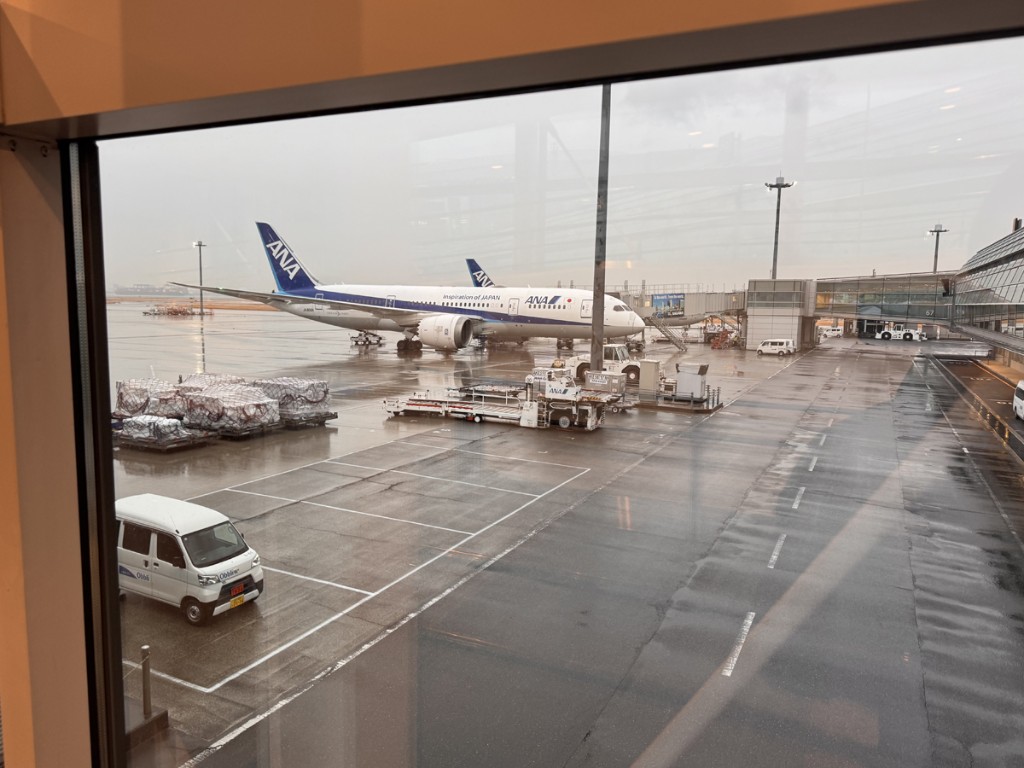
In practice: On my own trips, the highest-stress moments were never sightseeing - they were "SIM not activating," "card declined at the wrong moment," and "hotel Wi-Fi cannot upload a PDF." There is also the quieter one: rain on the tarmac at the gate, when you realize your body has arrived but your week still needs a room that passes a work interview.
What to remember: Use the steps in order, run a Day 1 test, and keep one offline fallback. If you only remember one line: protect connectivity and sleep; everything else is easier.
For a wider "is Japan worth it?" lens, start with Is Japan Good for Digital Nomads? and return here for setup execution.
Digital nomad setup Japan: three real moments
Remote work in Japan still runs on human rhythms. The three photos below are tied to my own trip memories. Each one maps to a layer of this checklist: banking with a Wise card, eSIM data in the wild, and why I stopped treating insurance as optional.
Onigiri lunch after the Wise card actually worked
Takeaway: When your payment stack behaves, lunch stays small - emotionally and financially.
Why it matters: A declined card at the wrong moment can ruin an afternoon of focus. I use WISE as part of my cross-currency workflow.
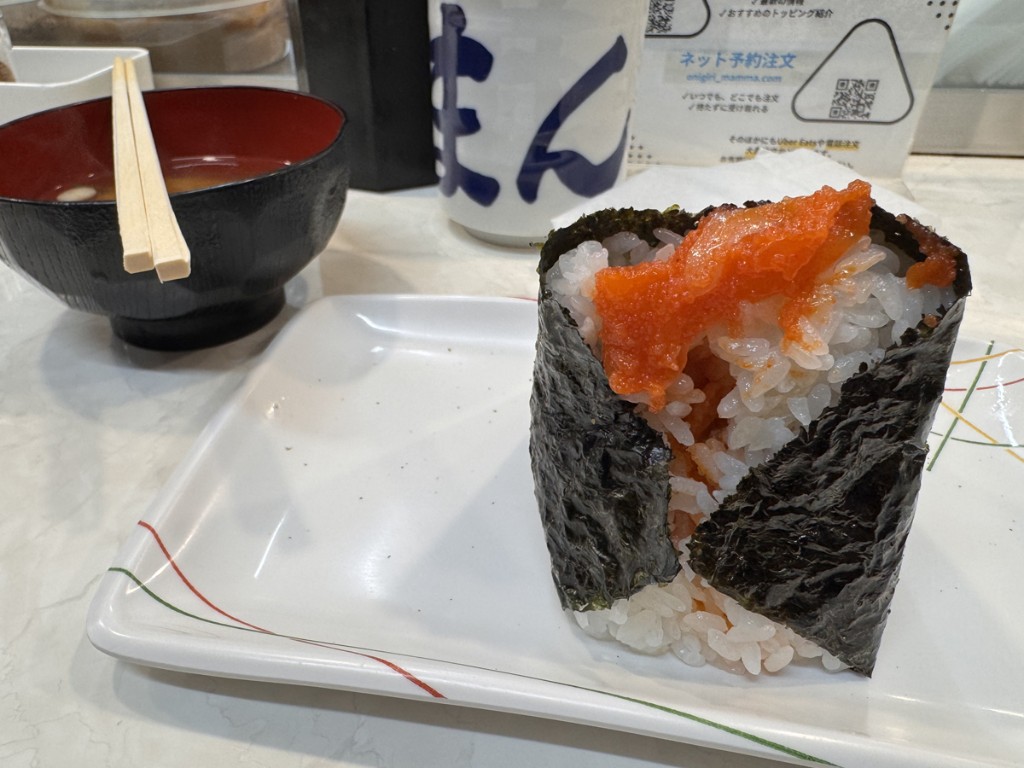
What to remember: Wise is not magic; limits and issuer rules still apply. But when the stack works, you notice it in ordinary moments.
Pikachu ketchup, eSIM, and an SNS post that had nothing to do with work
Takeaway: Mobile data is not only for Zoom - it is also for "I need to share this now" moments.
Why it matters: I already had eSIM connectivity running before relying on in-store Wi-Fi. That let me post immediately without login portal friction.

What to remember: If your only test is a hotel speed test, you are underestimating real life. Test small uploads too.
Milk at the konbini and why insurance belongs in the same conversation
Takeaway: Small routines and big safety nets both protect output.
Why it matters: Sleep, hydration, and calories are daily damage control. Insurance is the same principle at higher stakes.
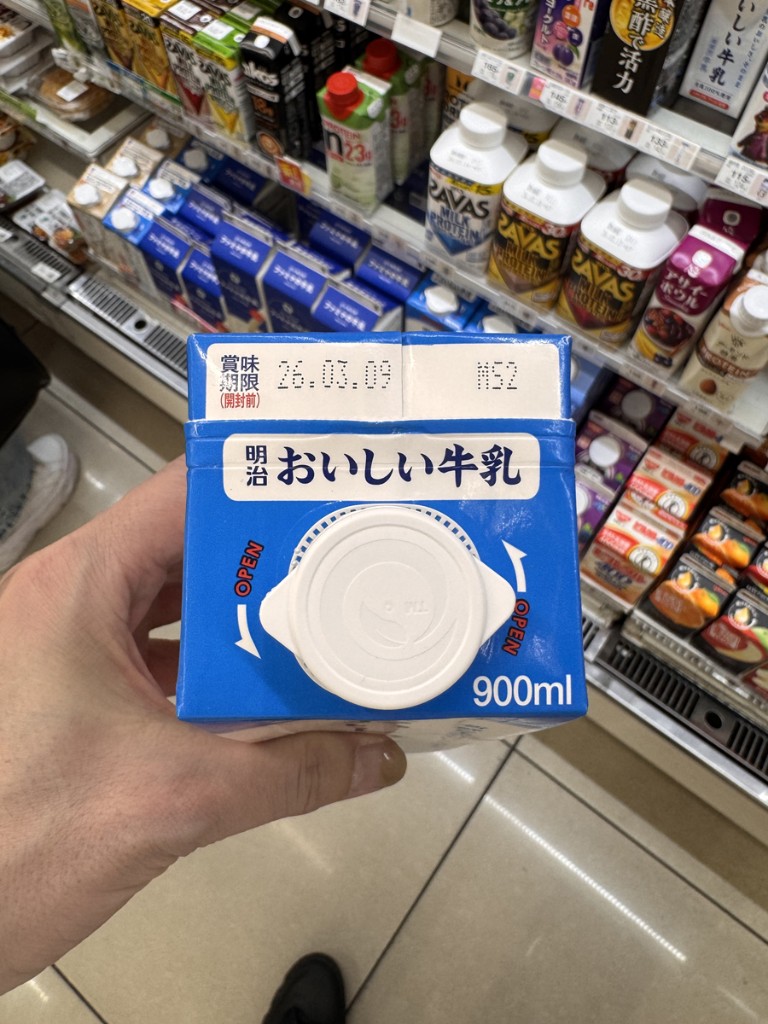
What to remember: Coverage details change by provider and nationality. Start orientation here: SafetyWing Guide for Japan Digital Nomads.
Digital nomad setup Japan: choose Wise, eSIM, and Agoda with a scorecard
Wise: when it wins, and when to pair it with something else
Choose Wise first if you hold or move several currencies and need predictable conversion. Keep a parallel lane if you will spend days in cash-first pockets; carry a yen buffer and a second card.
WISE Card for Digital Nomads in Japan (fees, limits, real use)
eSIM: rank by job to be done, not by one "best" badge
- Call-heavy week: prioritize stable uplink in urban Japan.
- Short trip / tight budget: smaller bundles and shorter validity can win.
- Heavy tethering: pocket Wi-Fi can beat one phone eSIM.
| If this is your bottleneck... | Lean toward... | First read |
|---|---|---|
| Uploads and video calls | Plans rated for stable urban performance, not only large GB | Airalo vs trifa vs Saily |
| One week or less | Short-validity tiers with clear activation timing | Same comparison (validity column) |
| Laptop and phone online all day | Pocket router or second line | eSIM vs Pocket WiFi Japan |
Agoda: practical selection reasons
Booking tools vary, but I open Agoda first for Japan when I need one sortable grid for guest score, cancellation policy, and neighborhood fit without tab hopping.
Before paying, run the same checks every time: Wi-Fi mention in recent reviews, noise, desk photos, station distance, and cancellation fit.
Filter Japan stays by score, cancellation, and area
Step 1: Connectivity and Wi-Fi
Takeaway: Treat internet as income protection, not a nice-to-have.
Why it matters: Failed tethering or dropped calls become revenue risk fast.
- Primary: eSIM configured before you depend on public Wi-Fi.
- Secondary: backup path (second eSIM, pocket Wi-Fi, or known workspace fallback).
- Day 1 test: short video call + file upload + 5-minute outdoor tethering walk.
Start: Best eSIM for Japan and eSIM vs Pocket WiFi Japan.
Step 2: Banking and payment flow
Takeaway: If you move money across currencies, reduce friction before landing.
Why it matters: Money friction shows up as lost time and stress, not only fees.
- Prepare international payment access before departure.
- Plan recurring moves so you are not improvising during jet lag.
- Keep one backup card path for issuer blocks.
Start here: WISE Card for Digital Nomads in Japan.
Step 3: Insurance
Takeaway: Treat insurance as operating cost, not optional add-on.
Why it matters: One medical or dental issue can erase a work week and budget.
- Match coverage length to stay and side trips.
- Understand claims flow before you need it.
- Store policy numbers and emergency steps offline.
Guide: SafetyWing Guide for Japan Digital Nomads.
Step 4: Mobility
Takeaway: Movement friction kills focus.
Why it matters: A central pin can still mean 30-45 minutes of messy transfers.
- Set transit card workflow early.
- Pick accommodation with clean station access.
- Reduce surprise transfers on heavy call days.
Transit setup: Welcome Suica Guide for Digital Nomads.
Step 5: Stay
Takeaway: Your room is your office. Optimize for work criteria first, photos second.
Why it matters: Noise, desk ergonomics, and upload reliability determine delivery quality.
- Stable Wi-Fi and usable laptop surface
- Low noise profile for calls and recovery sleep
- Fast access to station, food, and laundry
- Cancellation and extension flexibility that matches your plans
Depth: Digital Nomad in Japan: Complete Stay and Booking Guide.
Tokyo lens: Tokyo Digital Nomad: Where to Live.
Hotels and Airbnb are not the only stay formats
Major Japanese cities also offer coliving and modern share-house options. For medium stays, these can reduce move-in friction and support community access.
But coliving is not automatically quieter or more productive. Screen for upload stability, noise, desk space, and quiet-hour culture.
Read: What Is Coliving? Share Houses, Community, and Remote Work in Japan.
Visa reality check
Visa rules change by nationality and purpose. Use official sources for final judgment. Orientation: Digital Nomad Visa Japan.
Daily rhythm template
- Morning: deep work first; choose fast coffee, not perfect coffee.
- Midday: move your body and eat without overextending lunch.
- Afternoon: calls and shipping; re-test upload if location changes.
- Evening: konbini or supermarket restock; light admin.
- Weekly: one longer explore block earned by protected deep work.
7-day pre-departure checklist
- Install and test eSIM (save setup screenshots).
- Prepare payment stack: primary + backup + cash buffer.
- Confirm insurance coverage and emergency numbers.
- Book first 7-10 nights in a work-ready area.
- Save offline routes: airport to stay, stay to essentials.
- Write one fallback playbook for internet failure.
- Lock first-week work calendar before takeoff.
Common mistakes that quietly reduce income
- Arriving without tested connectivity
- Booking by photos, not work criteria
- Ignoring transfer friction between neighborhoods
- No backup payment method
- No insurance plan until after something breaks
- Treating food and errands as optional
Recommended action plan
- Choose your eSIM path and define a Day 1 test.
- Confirm payment and insurance stack; store docs offline.
- Book a stay that passes a work interview (desk, noise, Wi-Fi, walkability).
Start with connectivity: Pick an eSIM plan matched to your call load
Then lock your first work-ready room: See Japan availability and guest scores for your dates
Related guides on wanderwork.jp
Express lane | Next step
Shortest path before you land
SIM: Airalo Japan review · Insurance: SafetyWing guide · Money: Wise card for Japan
Then run the Japan Setup Checklist 2026 (10 steps).
Complete SIM and insurance before you optimize hotel amenities—arrival week is too late for preventable setup debt.
Works well
- Clear next step after one table row
- Links to deeper Japan DN guides
- Action-first structure for remote workers
Common failures
- Endless research without booking or setup
- Ignoring visa or insurance wording
- No backup internet before client calls
Connectivity note
Your internet plan is part of accommodation quality—not a separate decision. Use primary Wi-Fi, secondary eSIM/SIM, and one emergency workspace option.
On arrival day, tether once from your phone to confirm backup works before you need it for a client call.
Compare: eSIM vs pocket WiFi · best unlimited WiFi
\ Complete steps 1–3 before flights /
※Official visa and insurance rules override blog checklists.
First week after arrival
Stabilize connectivity and routine before you expand sightseeing.
Day 1
Internet test, desk setup, route mapping.
Day 2
First deep-work block + backup location test.
Day 3
Lock morning and evening routines.
Day 4–5
Normalize output; protect delivery windows.
Day 6–7
Explore locally without breaking schedule.
Why this works
One clear decision path beats ten parallel tabs. Act this week on the row that matches you—that is the operating rule.
Memo
Visa: digital nomad visa Japan · Setup: Digital Nomad Setup Japan · Hub: Complete Japan guide
Related articles
-

-
Digital Nomad in Japan: The Complete Guide for Foreign Visitors (Stay, Budget, Wi-Fi, and Booking Smart)
\ Compare work-ready stays in Japan / Search stays on Agoda ※Rates, availability, and cancellation r ...
続きを見る

-
-
Airalo for Japan (2026) — eSIM Review for Digital Nomads (Setup, Data & Limits)
Looking for an Airalo review before visiting Japan as a digital nomad? This guide explains how Airalo works in Japan, who it suits, setup tips, device checks, and whether it is better than pocket WiFi.
続きを見る

-
-
Wise Card for Digital Nomads in Japan (2026) — Pay in Yen, FX Basics & Limits
\ Price your next yen transfer on Wise / Open Wise account ※Fees and eligibility vary by country—con ...
続きを見る

https://wanderwork.jp/workation-city-guide/digital-nomad-japan-complete-guide/
https://wanderwork.jp/nomad-goods/airalo-review-japan-digital-nomads/
https://wanderwork.jp/nomad-finance/wise-card-digital-nomads-japan/
FAQ
Should I decide everything before booking?
No—lock the highest-risk items first (stay, connectivity, insurance), then refine with the setup checklist.
Where should I start if Japan is new to me?
Read Is Japan good for digital nomads?, then follow the express lane above.
Article summary
- Run the 10-step checklist in order—do not skip connectivity
- On Day 1: test call + upload + payment + commute
- Then book your base via the complete Japan guide
Block 90 minutes this week to complete steps 1–3 before you buy non-refundable flights or stays.

SIM, insurance, and money rails should be in motion before you optimize neighborhoods. Then open the complete guide to book one work-ready base.
\ Setup debt shows up in week one /
※Official visa and insurance rules override blog checklists.
※This article is general information for foreign visitors planning remote work in Japan. It does not guarantee booking outcomes, visa status, or internet performance. Confirm listing details, cancellation terms, and official requirements before you pay. Affiliate links may earn commission at no extra cost to you.