

Digital nomad setup in Japan works best in one order: confirm your legal stay and accommodation first, arrange a primary and backup internet connection second, then prepare payments, insurance and transit. This sequence prevents the common arrival failure—an app, card or booking that does not work when you need it.
Start here: the only order that matters
Do not buy an eSIM, insurance policy or payment product before you know where you are staying and which entry route applies to you. Then protect the work-critical parts of the trip: use a primary and independent backup for internet, and never arrive with only one way to pay.
Use the checklist below as an execution plan. Each section tells you what to decide, what to verify, and where a product can help—rather than asking you to buy a generic “Japan setup.” This checklist is the arrival companion to the broader Digital Nomad Japan complete guide: use that overview for the wider picture of living and working here, and return to this page for the pre-departure sequence.

Why you can trust this guide
- Research basis: Research-based guide built from official entry information and provider terms
- Last checked: 2026-08-30
- Before you decide: Research-based: confirm live eligibility, pricing and policy wording before purchase or travel.
Do not build your Japan stay around a single point of failure
Your 7-day Japan setup checklist
| When | Main task | Decision to make | Fallback to prepare |
|---|---|---|---|
| Day 7 | Confirm visa or entry route and accommodation | Is your intended stay legally and contractually realistic? | A cancellable first stay and copies of key documents |
| Day 6 | Choose mobile connectivity | eSIM, pocket Wi-Fi or both? | A second connection path or offline maps |
| Day 5 | Build the payment stack | Which card converts currency, which card backs it up, how much cash? | A separate card and emergency yen |
| Day 4 | Check insurance | Does the policy match your entry route and actual risks? | Policy documents and insurer contact details |
| Day 3 | Plan transit and arrival | Which airport-to-stay route and IC payment method? | A payment method that does not depend on one app |
| Day 2 | Test devices | Is the phone unlocked and eSIM-compatible? Are cards active? | Saved support details and a charging plan |
| Day 1 | Pack the first-48-hours kit | Can you reach the stay, connect and pay without hotel Wi-Fi? | Paper and offline copies of essentials |
Step 1: settle the stay before shopping for travel tools
Start with the reason and length of your stay. A short visitor trip, a longer remote-work stay and a Digital Nomad Visa application have different evidence, insurance and accommodation needs. If you may apply for the visa, read Japan Digital Nomad Visa before treating any product as a requirement.
For the first booking, confirm the all-in price, Wi-Fi arrangement, station access, cancellation policy and check-in process. A lower nightly rate can be a poor deal if it forces unreliable calls or an expensive commute. Choose your city before you optimise your neighborhood; Best Cities in Japan for Digital Nomads is the right starting point.
Step 2: choose connectivity by work risk
Do not start with “the best Japan eSIM.” Start with the work you have to deliver.
| Your situation | Primary connection to investigate | What to verify before paying |
|---|---|---|
| One phone, short stay, normal use | eSIM | Device compatibility, activation instructions, data allowance and coverage terms |
| Multiple devices or two people | Pocket Wi-Fi or shared accommodation internet plus mobile backup | Device count, battery, return process and fair-use rules |
| Frequent video calls or large uploads | Accommodation connection tested in advance plus a mobile backup | Room-level signal, upload quality, tethering and throttling terms |
| Several-month fixed base | Existing home internet plus an independent mobile fallback | Contract, installation lead time and whether the building supports it |
Read eSIM vs Pocket Wi-Fi in Japan before choosing. If an eSIM is the right fit, use the provider’s current checkout page to confirm plan terms rather than relying on a fixed price in a blog post.
\ For eligible new users /
Confirm device compatibility, data allowance and the current checkout terms before purchase.
Availability is only half of the connectivity decision; privacy is the other half. On hotel, café or coworking Wi-Fi, a VPN protects the logins, calls and files your paid work depends on—regardless of whether you chose an eSIM or pocket Wi-Fi. NordVPN on an iPhone in Japan covers the practical setup and the cases where it actually matters for travellers.
Step 3: build a payment stack, not a single-card plan
Japan is highly usable with cards and contactless payments in many places, but cash and payment exceptions still exist. A practical stack has three layers:
- a conversion or travel card you understand;
- a separate backup card from another provider; and
- enough yen for small businesses, transport issues or an unexpected outage.
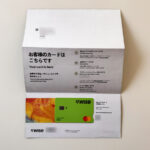
Wise can be useful when you want to see a live rate and fee before converting. It does not replace every local payment method or guarantee acceptance. Read Wise Card in Japan for the practical limits, then verify the live route-specific cost immediately before converting.
\ Use the live quote /
Availability, exchange costs and card features depend on your account and route.
Step 4: choose insurance by requirement and risk
Insurance belongs before departure, not after an airport problem. If a visa or entry route specifies cover, use the official wording as your starting point. Then compare medical limits, exclusions, deductible, trip duration, activities and the documents you can show if asked.
Nomad Insurance for Japan explains the comparison questions. A policy can be a reasonable fit for one traveller and the wrong one for another, so check the current policy wording and eligibility directly before purchase.
\ Review before you buy /
Confirm that the current policy matches your stay, visa evidence and personal circumstances.
Step 5: plan the first transit payment before landing
Your arrival plan should work when you are tired, offline or carrying luggage. Save the accommodation address in Japanese and English where possible, download offline maps, and know whether you will use an IC card, mobile wallet or a conventional card for the first journey.
Welcome Suica for Digital Nomads explains the visitor card workflow. If you expect to use Wise and Apple Wallet, read Can You Use Wise With Apple Pay at Japan Train Gates? first; do not assume it replaces an IC-card option in every situation.
Step 6: test before you fly
The final test is deliberately boring. That is good.
- Confirm that the phone is unlocked and supports the connection you chose.
- Save eSIM installation steps without assuming you will have Wi-Fi at the airport.
- Check card controls, PIN access and contact details while you still have your normal connection.
- Save accommodation instructions, passport details and insurance documents offline.
- Pack a charging cable, power bank and universal adaptor appropriate for your equipment.
Step 7: make your accommodation workable on day one
The accommodation is part of the work setup, not merely a place to sleep. Before the free-cancellation window closes, check the actual room rather than the building description: desk space, room-level Wi-Fi signal, noise, heating or cooling, laundry, and the route from the nearest station with luggage. Ask the host or operator questions in writing so you have a record of the answer.
If your work depends on video calls, identify a nearby backup place on the first day. It may be a coworking space, hotel lounge, café with an appropriate policy, or a colleague’s location. Do not wait for an outage on a deadline day to discover your alternatives. Best Internet for Remote Work in Japan provides the connection choices, while Where to Live in Tokyo and What Is Coliving? explain how housing tradeoffs affect the workday.
Keep a small arrival record
Save the details that are difficult to reconstruct when you are tired: booking confirmation and host contact, address in Japanese and English, passport and insurance details, eSIM support instructions, card-support contacts, and the route from airport to accommodation. Keep offline copies on the phone and a separate cloud location. This is not bureaucracy for its own sake; it prevents a lost connection or locked app from becoming an all-day problem.
The first 48 hours in Japan
Do not try to optimise everything on arrival. First connect, reach the accommodation, buy food and test the route you will use most. Once your room connection is proven, choose the right local routine: a nearby backup workspace, a cash withdrawal option, transit top-up and a realistic commute.
Digital nomad setup in Japan: FAQ
What do I need to set up before moving to Japan as a digital nomad?
Confirm your legal stay and first accommodation, then arrange connectivity (an eSIM or pocket Wi-Fi with a backup), a payment stack (a main card, a backup card and some yen), suitable insurance, and your airport-to-stay transit plan. Prepare each one with an independent fallback.
How long does it take to set up for Japan?
This guide uses a 7-day countdown, but you can compress it if your phone is already unlocked and eSIM-compatible and your documents are ready. The parts that need lead time are visa or entry confirmation, accommodation booking and any insurance that must be active before departure.
Should I buy an eSIM before arriving in Japan?
It is often convenient if your phone supports it and you have checked the activation instructions. Keep a fallback for the first day in case installation or coverage does not go as planned.
Can Wise replace cash in Japan?
No payment product should be treated as universal. Keep a backup card and some yen, especially when you are newly arrived or travelling outside major urban areas.
Is insurance required for every visitor?
Requirements depend on your route and circumstances. Check official entry or visa information, then choose cover based on the risks and documentation you actually need.
Do I need a Japanese bank account as a digital nomad?
Often not for a short stay: a travel or multi-currency card plus some cash covers most situations. A local account usually matters only for longer stays, local income or specific contracts. Confirm the current requirements for your situation before you rely on any single payment method.
Article summary
- Confirm the stay first; then choose connectivity, payments, insurance and transit.
- For paid work, prepare an independent backup for both internet and payments.
- Verify volatile product terms, prices and eligibility at the official checkout or policy page.
Related articles
-

-
Digital Nomad in Japan: Complete Guide for Foreign Visitors
A digital nomad trip in Japan succeeds when your accommodation protects work quality—not when it win ...
続きを見る

-
-
Japan Digital Nomad Visa 2026: Requirements & How to Apply
The Japan Digital Nomad Visa is a six-month, non-renewable residence status for high-earning remote ...
続きを見る

-
-
eSIM vs Pocket Wi-Fi in Japan (2026): Which Should You Get?
Verdict: neither wins for everyone — pick by how you work. Choose an eSIM if you are phone-first, tr ...
続きを見る

-
-
Wise Card in Japan for Digital Nomads (2026): Does It Work?
Short answer: yes — the Wise card works well in Japan as a spend-and-FX layer, but it is not a full ...
続きを見る
-
-
Nomad Insurance for Japan's Digital Nomad Visa (2026)
Short answer: on Japan's digital nomad visa, private medical insurance is a legal requirement, not o ...
続きを見る

-
-
Welcome Suica for Digital Nomads (2026): Card, Mobile & Apple Pay
Quick answer: Welcome Suica is JR East's IC card for visitors — tap through train gates, buses and s ...
続きを見る